
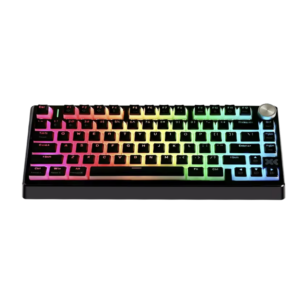
 Lenovo XiaoXin K5 Pro Mechanical Keyboard, Tri-Mode, Hot-Swappable, RGB, 75% Layout
 Subtotal: $55



Gaming Accessories, Laptop Pen, Accessories

HP Active Pen 929863-001, MPP Stylus Pen for OmniBook, Envy and Spectre Touch Laptops
HP Active Pen 929863-001
MPP Stylusus Pen Omnibook 14Z-FD00,OMNIBOOK X 14-FE000,OMNIBOOK 14-FM00, OMNIBOOK14-FK00
For HP Envy/Spectre 2-in-1 Series
Microsoft Compatible
Advanced Stylus Technology
Precision Tip
$65
HP Active Pen gives you smooth writing, easy drawing, and precise touchscreen control. Also, it works well for notes, signatures, sketches, study, work, and daily laptop use.
HP Active Pen Features
This stylus supports MPP technology. Therefore, it works with compatible HP touchscreen laptops and 2-in-1 devices.
It also supports Windows Ink. As a result, you can write, draw, mark files, and move through apps with better control.
The pen uses N-trig technology for accurate input. Also, it helps make writing feel smoother on supported screens.
Stylus Pen for HP Touch Laptops
This pen works with selected HP OmniBook, Envy, Spectre, and Pavilion x360 models. Therefore, it is useful for many HP touch devices.
You can use it for school notes, office work, design ideas, document signing, and simple drawing.
Also, it helps you use your touchscreen laptop in a more natural way.
Precise Tip for Writing and Drawing
The fine tip helps you write with better accuracy. Also, it helps when you draw, sketch, or select small items on the screen.
Pressure sensitivity gives better control during writing and creative work. Therefore, lines can feel more natural on supported devices.
This makes the pen useful for students, designers, office users, and daily laptop users.
Compatible HP Laptop Models
This stylus supports selected HP Envy, HP Spectre, HP Pavilion x360, and HP OmniBook models.
Some compatible series may include Envy 17, Envy x360, Pavilion x360, Spectre x360, Spectre 13, Spectre x2, OmniBook 14Z-FD000, OmniBook X 14-FE000, OmniBook 14-FM00, and OmniBook 14-FK00.
However, model numbers can vary. Therefore, always check your exact laptop model before buying.
Check Before You Buy
Before you order, make sure your laptop supports MPP stylus input. Also, check if your screen supports pen use.
This step helps you avoid the wrong stylus. As a result, you can choose the correct pen for your device.
If your laptop does not support active pen input, this pen may not work correctly.
Why Choose HP Active Pen?
Choose HP Active Pen if you need an MPP stylus with Windows Ink support, pressure sensitivity, precise writing, and HP touch laptop compatibility.
Overall, this pen works well for notes, drawing, signatures, study, office work, creative tasks, touchscreen control, and everyday HP laptop use.
| Brand | HP |
|---|
Related products
-
Accessories, Bags, Gaming Accessories
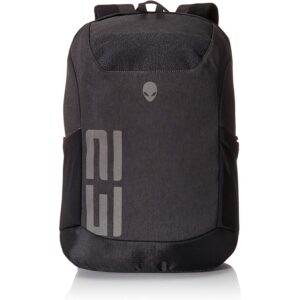
Alienware Back Pack 15.6 And 17.3 inch AWM17BPP
Durable Heathered Gray fabric with Ballistic weave base panels.
Padded laptop sleeve to keep electronics safe and protected.
Huge side stretch knit nylon pockets for easy storage.
Upper accessory pocket for sunglasses and quick access items.
Valor patch Hook and Loop panel to wear allegiances proudly.SKU: AWM17BPP -