


Lenovo M120 Wired Mouse, Ergonomic Lightweight Design, USB Mouse for Daily Use
Lenovo M120 wired mouse
Ergonomic design
High precision and responsiveness
Optical Tracking
Durable build quality
$10
Lenovo M120 mouse gives you simple wired control, smooth movement, and easy daily use. Also, it works well for work, study, browsing, office tasks, and home use.
Lenovo M120 Mouse Features
This mouse has a wired design. Therefore, you can use it without charging or battery worries.
It connects through USB. Also, the simple plug-and-use setup makes it easy for daily computer use.
The lightweight design makes the mouse easy to move. As a result, it feels comfortable during normal tasks.
Wired USB Mouse for Daily Use
Lenovo M120 mouse works well for laptops and desktop computers. You can use it for browsing, emails, documents, files, and online work.
Also, it is useful for students, office users, home users, and laptop users.
The wired connection gives stable control. Therefore, it works well for users who want a simple and reliable mouse.
Ergonomic Mouse Design
The ergonomic shape helps your hand feel more comfortable. Also, it supports daily use during work or study sessions.
You can use it for websites, spreadsheets, online classes, office programs, and regular computer tasks.
The simple design makes it easy to match with most desk setups.
Lightweight Mouse for Work and Study
This mouse is practical for daily productivity. Also, it is easy to keep at home, in the office, or with your laptop setup.
It gives smooth control for normal use. Therefore, it is a good choice for users who need a basic wired mouse.
In addition, it can work well as a main mouse or a backup mouse.
Easy Computer Control
Lenovo M120 mouse helps you control your computer with less effort. Also, it is useful for long browsing or work sessions.
You do not need special setup for normal use. Just connect the mouse to a supported USB port and start working.
Overall, it gives a clean mix of simple design, wired control, and daily comfort.
Why Choose Lenovo M120 Mouse?
Choose Lenovo M120 mouse if you want a simple wired USB mouse with ergonomic comfort, lightweight design, smooth control, and daily use.
Overall, this mouse works well for work, study, browsing, office use, home use, laptop setups, and everyday computer control.
| Brand | Lenovo |
|---|
Related products
-
-
Accessories, Bags, Gaming Accessories
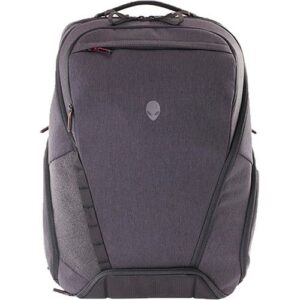
Alienware Back Pack Area 16-18 inch AWA51BPE17 Dark Gray
● Spacious 40L Storage Capacity
● Contoured XPE foam shoulder straps with sternum buckle for enhanced comfort.
● Ventilated & cushioned back panel with integrated trolley strap.
● Custom integrated padded top handle to pick up and go.
● Dedicated expanding headset pocket.SKU: AWA51BPE17 -
Accessories, Bags, Gaming Accessories
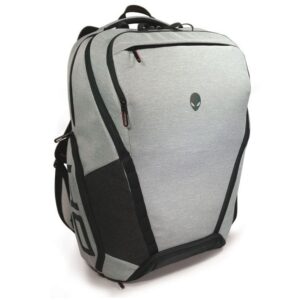
Alienware Back Pack Area 16-18 inch AWA51BPE17 Light Gray
● Spacious 40L Storage Capacity
● Contoured XPE foam shoulder straps with sternum buckle for enhanced comfort.
● Ventilated & cushioned back panel with integrated trolley strap.
● Custom integrated padded top handle to pick up and go.
● Dedicated expanding headset pocket.SKU: AWA51BPEW17